
Spend management

Corporate cards that keep you in control.

Issue virtual and physical Smartcards in seconds. Set the limits, enforce your expense policy, and watch every charge enter itself.
looch Smartcard
Download on the App StoreComing soon to Google PlayComing soon
  • Virtual & physical cards
  • Daily & monthly limits
  • Auto-entered to your ledger
  • Apple Pay & Google Pay
How it works

Three taps from issue to entered.

1
Issue a card

Create a virtual Smartcard for any teammate or business purpose in seconds, or order a physical card.

2
Set the controls

Daily, monthly, and all-time limits, weekday-only spending, merchant and category rules, and auto-cancel dates.

3
Spend, auto-entered

Every charge is tagged and categorized the moment it posts, so your transactions stay entered ("reconciled") without the busywork.

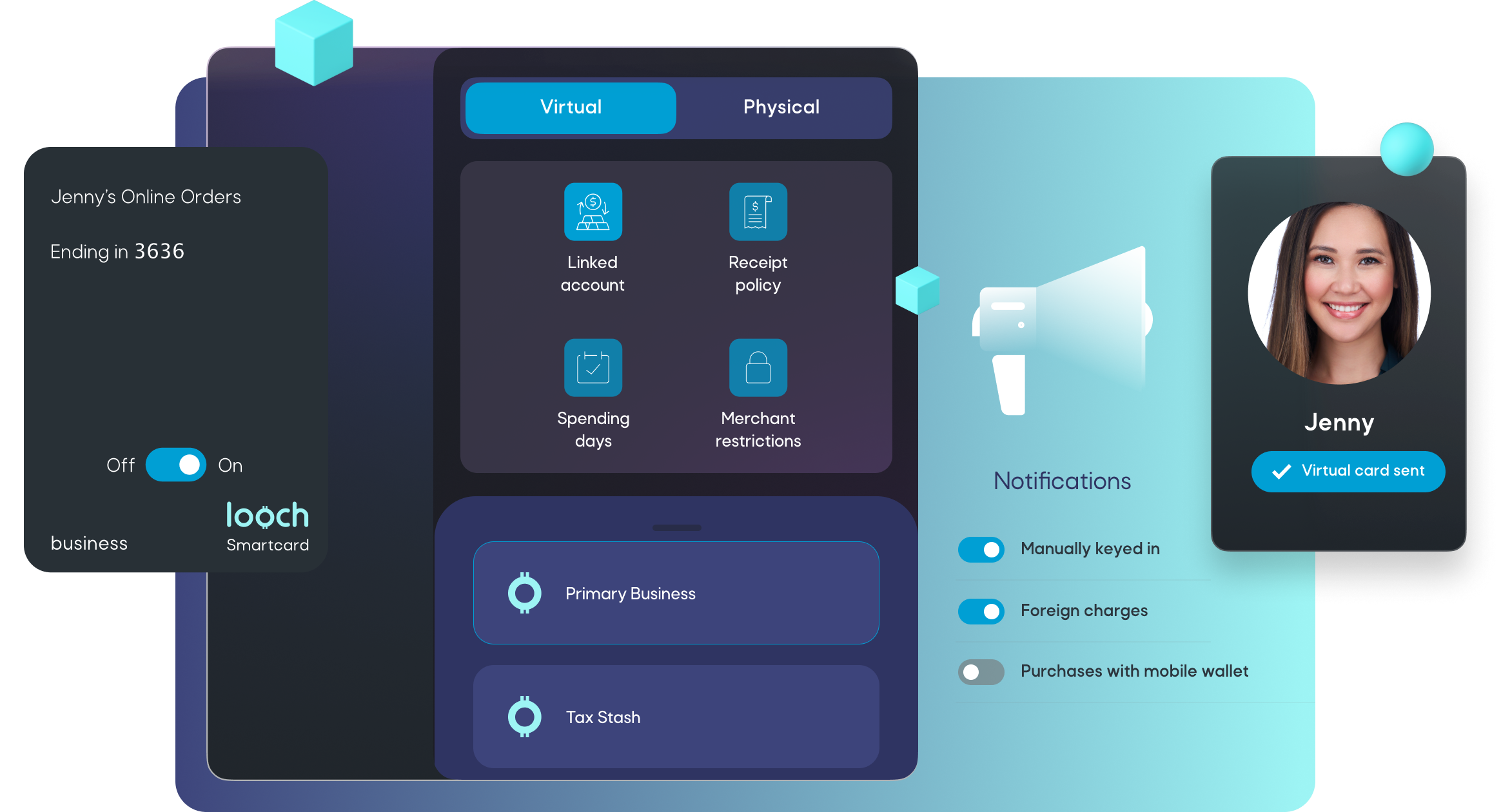
looch Smartcard spend management controls in the looch app
Expense policy enforced

Mobile spend management.

Issue cards from the app.
Business and travel expenses made easy with Smartcards your team can add to their mobile wallets.
Flexible spending limits.
Set daily or monthly spending limits. Create Smartcards with higher spending limits when needed.
Determine the spending days.
Disable weekend spending or use auto-cancel. Ideal for business trips or free trials that won't be renewed.
Maintain spending control.
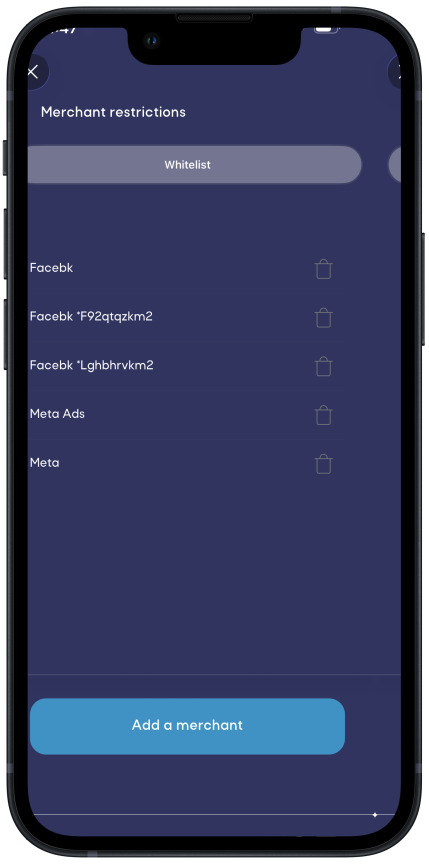
Restrict purchases by merchant or general ledger category.
Invoice from tags.
Smartcard charges are automatically tagged. When you're ready to invoice your contacts, charge them for out-of-pocket expenses with just a tap.
Spend from any looch account.
Create business Smartcards on the fly for any teammate or business purpose. Remit taxes by linking a Smartcard to your Tax Stash account.
Mobile wallets.
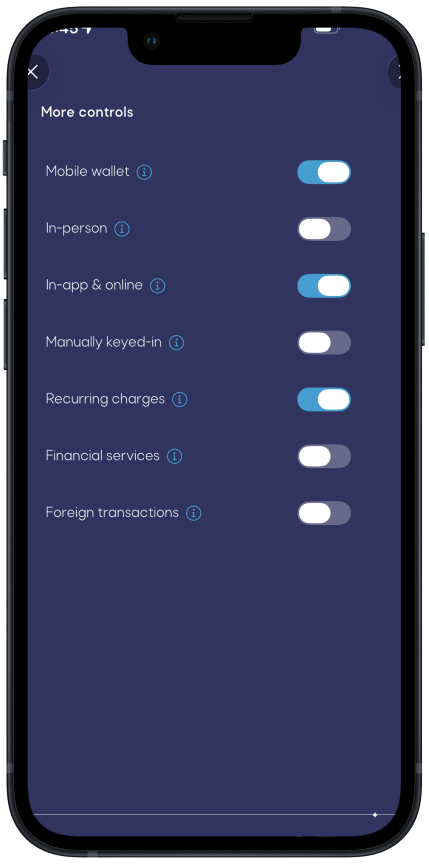
Smartcards can be used online or in-person with a mobile wallet. Get notified when a teammate uses their virtual Smartcard with a mobile wallet, or block altogether.
Key notifications.
Get notified when a charge was manually keyed in or if it’s a foreign transaction, or block altogether.
In the app

Controls, down to the last detail.

Tune categories, restrict merchants, and dial in the rest, right from the app.
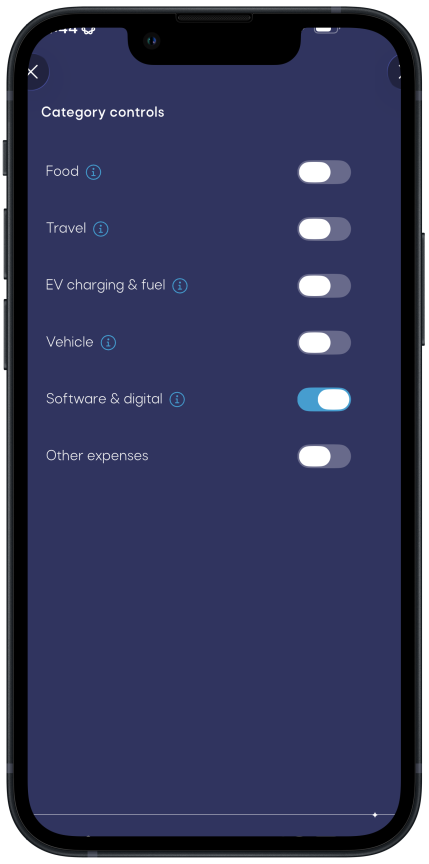
Category controls for a Smartcard in the looch app
Category controls
Additional Smartcard controls in the looch app
More controls
Merchant restrictions for a Smartcard in the looch app
Merchant restrictions
What you get

Everything a corporate card should be.

Commercial-grade cards, with the controls and accounting baked in. No personal spending, no surprises.

Commercial Visa®

Commercial Visa cards accepted by every merchant and built for business spending, not personal.

Auto Rental CDW

Rent a car with confidence. Smartcards are recognized as commercial credit cards and include Auto Rental Collision Damage Waiver.

Mobile wallets

Add Smartcards to Apple Pay and Google Pay to spend in person or online, get notified on wallet use, or block it entirely.

Expense policy, enforced

Auto-lock a card on a missing receipt, memo, or category, and auto-enter categories for faster bookkeeping.

Any account, any time

Switch the linked financial account whenever you like, or link a Smartcard to your Tax Stash account to remit taxes.

Invoice from tags

Smartcard charges are tagged automatically, so you can bill clients for out-of-pocket expenses with a tap.

Smartcard questions

What type of cards are Smartcards?
Smartcards are commercial Visa cards with customizable spend management controls, designed exclusively for business use. They're not intended for personal spending.

You can learn more about Smartcards on Visa's website.
What are the spend management controls with Smartcards?
Smartcards offer a full set of spend management controls for you and your team:

• Daily, monthly, and all-time spending limits

• Switch the linked financial account at any time

• Weekday-only spending

• Auto-cancelation date

• Auto-locking for expense policy violations like missing receipt, memo, or category

• Auto-enter categories for faster bookkeeping

• Merchant whitelists or blacklists

• Category controls

• Expense type controls
Can I use my physical Smartcard to rent a car?
Yes. Smartcards are recognized by all merchants as commercial credit cards. They also include Auto Rental Collision Damage Waiver.

For the full list of Smartcard benefits, visit Visa's website.
Can I use my Smartcard to withdraw cash at an ATM?
No. Here's why: A well-run business is paperless and plastic-free (although we do support physical Smartcards). looch will get you there quicker than any other solution.

Cash is typically for personal expenses. Using business cash for personal expenses leads to messy accounting. We recommend transferring funds to your personal external account and withdrawing cash using that account's debit card. looch will properly categorize the transfer based on your entity type and tax treatment. This way, you can spend your cash while keeping your books clean.
Can I use my Smartcard to deposit cash?
No. One of the ways looch keeps your books tidy is by helping you go paperless and cashless.

If you must accept cash as a payment method, deposit it into an accounting-enrolled external account.